
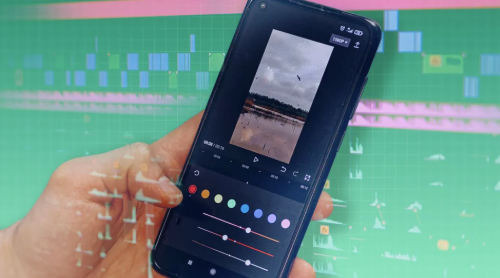
Video editing is no longer limited to laptops and desktop software. Many creators now edit complete videos directly on Android phones. From Instagram Reels and TikTok clips to YouTube Shorts, product videos, gaming edits, and animated content, mobile editing apps have become powerful enough for daily creative work.
Android users now look for apps that offer clean editing controls, smooth effects, transitions, text animation, color tools, and export options. For creators who want advanced motion graphics and premium-style editing features, Alight Motion Pro is one of the popular options searched by mobile video editors.
The right video editing app depends on the type of content someone wants to create. Some apps are better for quick social media edits, while others are better for animation, keyframes, layers, and professional motion graphics. Below are some of the best Android apps for video editing and motion graphics.
1. Alight Motion
Alight Motion is one of the most popular apps for Android users who want more than basic video editing. It is widely used for motion graphics, animation videos, lyrical edits, transition clips, reels, and short-form social media content.
The app gives users access to features like keyframe animation, multiple layers, visual effects, blending modes, color correction, velocity editing, and motion blur. These tools make it useful for creators who want to build more detailed and creative videos from their phones.
Many users also check different versions of Alight Motion APK old versions when they want a stable editing setup for their Android device. This is useful for people who prefer a version that works smoothly on their phone and supports their editing style.
Alight Motion is a strong choice for creators who want to create animated text, smooth transitions, logo animations, music videos, and professional-looking mobile edits.
2. CapCut
CapCut is one of the easiest video editing apps for Android users. It is especially popular among TikTok, Instagram, and YouTube Shorts creators because it offers ready-made templates, filters, transitions, effects, music, captions, and simple editing tools.
The biggest advantage of CapCut is speed. Users can create social media videos quickly without needing advanced editing knowledge. They can select a template, add clips, adjust text, apply effects, and export the video in a short time.
CapCut is a good choice for beginners, influencers, small businesses, and creators who want trendy short videos. It may not offer the same deep motion graphics controls as Alight Motion, but it works very well for fast and clean social media editing.
3. VN Video Editor
VN Video Editor is a clean and flexible Android editing app. It is useful for users who want timeline-based editing without a complicated interface. The app supports trimming, cutting, music, filters, speed control, subtitles, transitions, and multi-layer editing.
VN is a good option for vloggers, students, travel creators, and small business owners. It gives more control than many simple editing apps while still being easy to understand.
The app is also helpful for longer videos because its timeline layout feels closer to desktop editing software. Users can organize clips, adjust audio, add captions, and create polished videos without needing a computer.
4. KineMaster
KineMaster is a powerful Android video editing app for users who need more advanced editing tools. It supports multiple video layers, voiceovers, chroma key, transitions, effects, audio controls, and detailed timeline editing.
This app is useful for YouTubers, educators, vloggers, and creators who want more control over their videos. It can be used for tutorials, reaction videos, product videos, social media clips, and longer content.
KineMaster is a strong option for users who want mobile editing with professional tools. However, users should check the current plan and version details if they want watermark-free exports or access to premium features.
5. InShot
InShot is a simple and popular video editing app for Android. It is best for users who want quick edits without learning complex tools. The app allows users to trim clips, merge videos, add music, use filters, apply text, adjust speed, and create content in different social media sizes.
InShot is especially useful for Instagram stories, reels, YouTube Shorts, and basic promotional videos. Many small business owners and casual creators use it because it is fast and easy.
It is not the best choice for advanced motion graphics, but it is very practical for daily content editing.
6. YouCut
YouCut is a lightweight Android video editing app. It is useful for people who want simple editing tools with a clean interface. Users can trim, cut, merge, add music, use filters, adjust speed, add text, and compress videos.
One of the main benefits of YouCut is that it works well for quick edits and smaller video files. This is helpful for users who want to upload videos faster on social media or reduce file size before sharing.
YouCut is a good choice for students, casual users, and creators who need basic editing without too many advanced features.
7. Filmora
Filmora is another useful video editing app for Android. It offers templates, effects, transitions, music, text, stickers, filters, and basic timeline editing. It is designed for users who want creative video editing without spending too much time on manual adjustments.
Filmora is useful for social media videos, personal clips, business promotions, and short video projects. It is beginner-friendly and offers enough tools for users who want stylish videos without advanced editing experience.
Why Motion Graphics Matter in Mobile Editing
Motion graphics help videos look more dynamic and professional. They can be used for animated text, moving shapes, logo intros, transitions, titles, captions, product highlights, and social media effects.
For creators, motion graphics can make a simple video more engaging. A clean transition, animated title, or smooth zoom effect can improve the overall quality of the content.
This is why many Android users now prefer apps that support layers, keyframes, effects, and animation controls. These features allow creators to build videos that look more polished and creative.
How to Choose the Best Android Editing App
The best app depends on the user’s goal. If someone wants quick social media videos, CapCut, InShot, and YouCut are easy options. Someone wants detailed timeline editing, VN Video Editor and KineMaster are better choices. If the goal is motion graphics, animation, transitions, and creative effects, Alight Motion is one of the strongest Android options.
Users should also consider their phone performance, export quality, storage space, learning curve, and the type of videos they create. A beginner may prefer a simple app, while an experienced editor may need layers, keyframes, and advanced visual effects.
Final Thoughts
Android video editing apps have made content creation faster and more accessible. Creators no longer need expensive desktop software for every project. With the right app, they can create reels, shorts, product videos, music edits, tutorials, and animated clips directly from their phone.
Alight Motion, CapCut, VN Video Editor, KineMaster, InShot, YouCut, and Filmora all offer different benefits. The right choice depends on whether the user wants simple editing, fast templates, timeline control, or advanced motion graphics.
For creators who want professional-looking mobile edits, choosing the right Android editing app can save time, improve video quality, and make content more engaging.
