
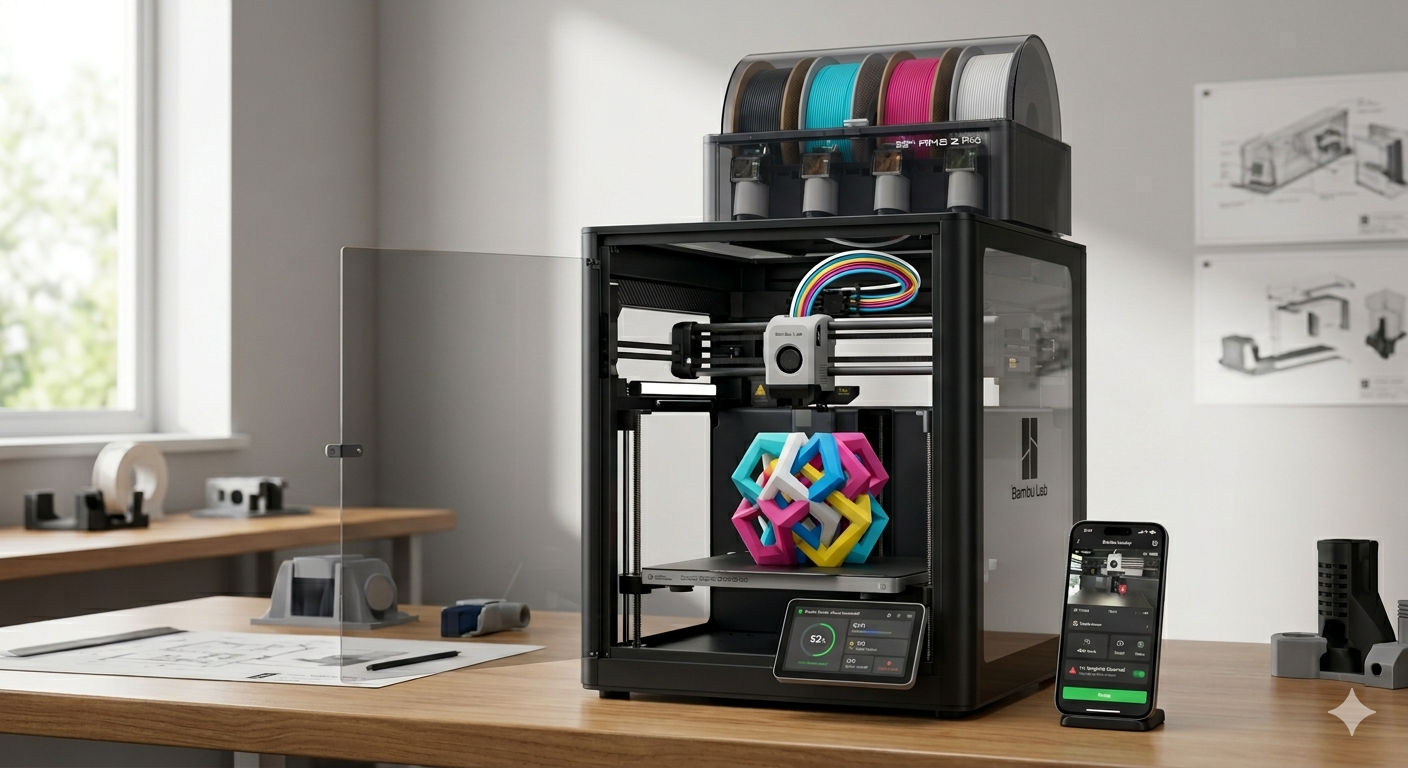
Not long ago, consumer 3D printing felt like a second hobby masking as a first. You did not just print a 3D model; you spent hours manual bed-leveling, tweaking open-source firmware, and tightening belts.
Then came Bambu Lab.
Founded by a rogue team of former DJI drone engineers, this consumer tech company did not just join the additive manufacturing market—they completely flipped the script. By introducing industrial-grade acceleration, native multicolor systems, and plug-and-play automation, they transformed 3D printing from a finicky tinkering chore into a reliable appliance experience.
Whether you are a complete beginner looking for a reliable desktop machine, a seasoned maker running a print farm, or a small business needing rapid prototyping, understanding the impact of Bambu Lab is essential. This comprehensive guide dives deep into the company’s history, their groundbreaking technological ecosystem, and their current 2026 printer lineup.
The Rise of Bambu Lab: A Paradigm Shift in 3D Printing
To appreciate the current landscape, we have to look back at how Bambu Lab shook up the industry. Before their explosive debut, desktop Fused Filament Fabrication (FFF) printers were sharply divided into two categories. You could choose cheap, open-frame kits that required constant manual troubleshooting, or you could buy highly expensive, slow-moving premium machines.
From Drones to Desktop Additive Manufacturing
In 2022, a group of expert engineers led by Ye Tao left their high-profile roles at DJI. They brought with them deep expertise in robotics, artificial intelligence, computer vision, and advanced materials science. Their goal was simple yet incredibly ambitious: eliminate the steep learning curve of 3D printing.
The Historic Kickstarter Debut
The company launched its flagship X1 series on Kickstarter, raising an astonishing $7.02 million. Makers were captivated by the promise of out-of-the-box 3D printing running at blistering speeds of up to 500 mm/s. When the first machines shipped, the community realized that the hype was entirely real. The company had achieved a massive leap forward in hardware and software integration.
Core Technologies: Why Bambu Lab Ecosystem Rules the Market
What separates Bambu Lab from the sea of competitors trying to replicate their success? It is not just one single feature; it is an interconnected ecosystem of hardware and smart software that works seamlessly together.
1. CoreXY Motion Systems and Vibration Compensation
Most traditional budget printers are “bedslingers,” meaning the heavy heated bed moves along the Y-axis. This design causes massive print artifacts like ghosting when pushed to high speeds.
Bambu Lab heavily popularized the enclosed CoreXY architecture for desktop users. In this setup, the print bed only moves vertically on the Z-axis, while an ultra-light carbon fiber rail toolhead moves lightning-fast on the X and Y axes. Combined with active input shaping (vibration compensation), these machines actively measure resonance and cancel it out, delivering flawless surfaces at breakneck speeds.
2. The Automatic Material System (AMS)
While multi-color printing existed before, it was notoriously complex and prone to jamming. The Automatic Material System changed the game forever.
-
Multicolor Printing: The AMS feeds up to four distinct filament spools directly into a single toolhead, automatically retracting and switching filaments mid-print.
-
Daisy-Chaining: Advanced users can link up to four AMS units together, unlocking a breathtaking canvas of 16 distinct colors or materials in a single design.
-
Filament Protection: The fully sealed AMS chamber features integrated desiccant slots, ensuring sensitive engineering plastics remain perfectly dry.
3. AI-Powered Monitoring and Auto-Calibration
The integration of a Neural-Network Processing Unit (NPU) brings true automation to the desktop. High-end models utilize dual cameras and micro-LiDAR sensors to execute complex checks without user intervention.
-
First-Layer Inspection: The printer scans the very first laid down layer of plastic. If it detects a single lifting edge or gap, it pauses the print and alerts your phone.
-
Spaghetti Detection: Using real-time computer vision, the system instantly catches prints that have detached from the bed and are turning into a bird’s nest of plastic, preventing catastrophic filament waste.
-
Automated Flow Calibration: The machine dynamically draws calibration lines on the bed, scans them, and optimizes pressure advance values for perfect extrusion every time.
The 2026 Bambu Lab 3D Printer Lineup Breakdown
The Bambu Lab product catalog has matured significantly, offering targeted solutions across every conceivable budget and skill level. Let’s break down the current market options to see which machine matches your workflow.
The Entry-Level A1 Series
For beginners, schools, or budget-conscious hobbyists, the A1 family provides an accessible entryway into the ecosystem without sacrificing core quality-of-life automations.
-
Bambu Lab A1 Mini: This incredibly compact machine features a 180mm x 180mm build volume. Despite its tiny footprint, it includes full auto-calibration, a quick-swap nozzle system, and seamless compatibility with the AMS Lite for budget multi-color projects.
-
Bambu Lab A1: This is the full-sized sibling to the Mini, boasting a standard 256mm x 256mm x 256mm build volume. It is an open-frame bedslinger that delivers beautiful, multi-color prints for everyday materials like PLA and PETG.
The Intermediate Workhorse P-Series
If you want to move beyond basic plastics and require a rugged machine capable of non-stop production, the P-Series is the gold standard for serious makers.
-
Bambu Lab P1S: A legendary enclosed CoreXY machine. It features robust air filtration, an auxiliary cooling fan, and a fully enclosed environment. This setup allows you to safely print trickier technical filaments like ABS and ASA without worrying about warping.
-
Bambu Lab P2S: The newest evolution of the mid-range lineup. The P2S elevates the intermediate experience by introducing a brilliant 5-inch color touchscreen, upgraded toolless quick-swap nozzles, and a highly efficient 2 TOPS AI processing unit for advanced error detection right out of the box.
The Efficiency and Professional Flagships
For advanced engineers, industrial designers, and enterprise users, these high-end options incorporate cutting-edge multi-tool technology.
-
Bambu Lab X2D (The X2C Evolution): Built specifically to conquer the multi-color “poop” dilemma. By utilizing a smart dual-nozzle toolhead, it switches between filaments instantly without needing massive purge blocks. This innovative upgrade reduces multi-color material waste by 30% to 50%.
-
Bambu Lab H2-Series (Industrial Giants): A massive leap into industrial desktop manufacturing. Models like the H2D and H2C boast huge active heated chambers, massive print volumes, and the “Vortek” automatic tool-changing mechanism. The H2D even incorporates multi-tool modules for independent laser cutting, engraving, and plotting alongside high-temperature 3D printing.
Navigating the Software Ecosystem: Studio, Handy, and MakerWorld
Hardware is only half the battle. Bambu Lab succeeded wildly because they built a software triad that completely removes friction from the user experience.
[MakerWorld Model Library] ---> [Bambu Studio Slicer] ---> [Bambu Handy Mobile App]
Bambu Studio
Based on the popular open-source Slic3r and PrusaSlicer frameworks, Bambu Studio is a highly polished, powerful slicing engine. It natively supports multi-plate projects, allowing you to lay out an entire multi-part mechanical assembly in a single file. It also features incredibly intuitive color-painting tools to prep models for the AMS.
Bambu Handy
The companion mobile app gives you complete control over your hardware from anywhere in the world. You can monitor live 1080p video feeds of your active prints, adjust speeds on the fly, receive push notifications if an error occurs, and even browse and slice models directly from your smartphone.
MakerWorld
To combat fragmented model repositories, the company launched MakerWorld. This platform allows cloud-slicing directly from a web browser. Users can find a model, select their specific Bambu Lab printer model and filament type, and hit “Print” directly from their phone. The cloud handles all complex geometry calculations in the background.
Weighing the Pros and Cons of the Bambu Ecosystem
While Bambu Lab has undeniably pushed the entire industry forward, no ecosystem is completely perfect. It is crucial to look at both sides of the coin before investing.
The Advantages
-
True Plug-and-Play: You can unbox an A1 or P2S printer and execute a flawless first print in under 30 minutes.
-
Unrivaled Speed: Production times are often cut down to a third compared to older style desktop printers.
-
Reliable Multi-Color: The AMS and AMS 2 Pro are arguably the most dependable mass-market multi-material feeding solutions available.
-
Consistent First Layers: Auto bed-leveling and vibration dampening mean you rarely have to adjust structural hardware manually.
The Disadvantages
-
Proprietary Parts: Many components, from hotends to replacement extruders, are proprietary designs. This limits your ability to use cheap, generic third-party replacement parts.
-
Cloud Reliance: The workflow heavily prefers an active internet connection to pass files through their cloud network. While a local LAN-only mode exists, it cuts out some app features, which occasionally draws criticism from data privacy advocates.
-
Filament Waste: Single-nozzle multicolor printing inherently creates purged waste plastic during filament transitions, though newer dual-nozzle models like the X2D are actively solving this.
Conclusion: Is a Bambu Labs Printer Right for You?
Ultimately, Bambu Lab shifted the core philosophy of desktop manufacturing. They successfully turned 3D printers from complex engineering projects into reliable, high-speed toolsets designed to execute your creative ideas. If you value your time, demand consistent print quality without constant tinkering, and want access to a world-class multicolor ecosystem, a machine from their lineup is an incredibly smart investment.
From the budget-friendly A1 Mini to the professional powerhouse P2S and industrial H2 series, they offer a tailored ecosystem that lets you focus entirely on creating rather than troubleshooting.
Frequently Asked Questions
1. Can Bambu Labs printers run completely without an internet connection?
Yes. While these machines are highly optimized for cloud connectivity via the mobile app and MakerWorld, they feature a dedicated “LAN-Only” mode. You can send files securely across your local home network using Bambu Studio. Alternatively, you can completely bypass network connectivity by loading .gcode files directly onto a standard MicroSD card.
2. What is the main difference between the AMS and the AMS Lite?
The standard AMS is a completely enclosed, sealed box equipped with internal rubber gaskets and desiccant compartments designed to shield sensitive, moisture-absorbing filaments (like Nylon, ABS, and PVA) from ambient air. The AMS Lite is an open-frame, exposed rotating axle design built specifically for the entry-level A1 series. It is highly reliable for standard materials like PLA and PETG but does not offer environmental moisture protection.
3. Can I use any brand of filament, or am I locked into Bambu Labs spools?
You can use absolutely any third-party 1.75mm filament brand on the market. However, proprietary spools feature an integrated RFID chip. When dropped into an AMS unit, the printer instantly reads the chip and automatically configures the exact material type, color, and optimal printing temperature profile in your slicer. If you use third-party spools, you simply map those settings manually inside Bambu Studio.
4. How difficult is it to change nozzles on these machines?
It is incredibly simple compared to older generation printers. Older desktop setups required heating the hotend to 250°C and using heavy wrenches while avoiding dangerous electrical shorts. The newer A1 series and the 2026 P2S/H-series feature toolless, quick-swap magnetic or clip-retained hotend assemblies. You can swap a nozzle completely cold in less than 30 seconds.
5. How do these printers handle abrasive materials like Carbon Fiber?
It depends entirely on the specific model’s hardware. Enthusiast models like the A1 and P1S ship standard with stainless steel nozzles and plastic extruder gears, which will quickly wear out if fed abrasive materials. To print Carbon Fiber (PLA-CF, PETG-CF) or Glow-in-the-Dark filaments safely on those models, you must upgrade to a hardened steel nozzle and hardened steel extruder gears. Premium flagships like the X-Series, P2S, and H-Series come standard with these hardened components out of the box.
